
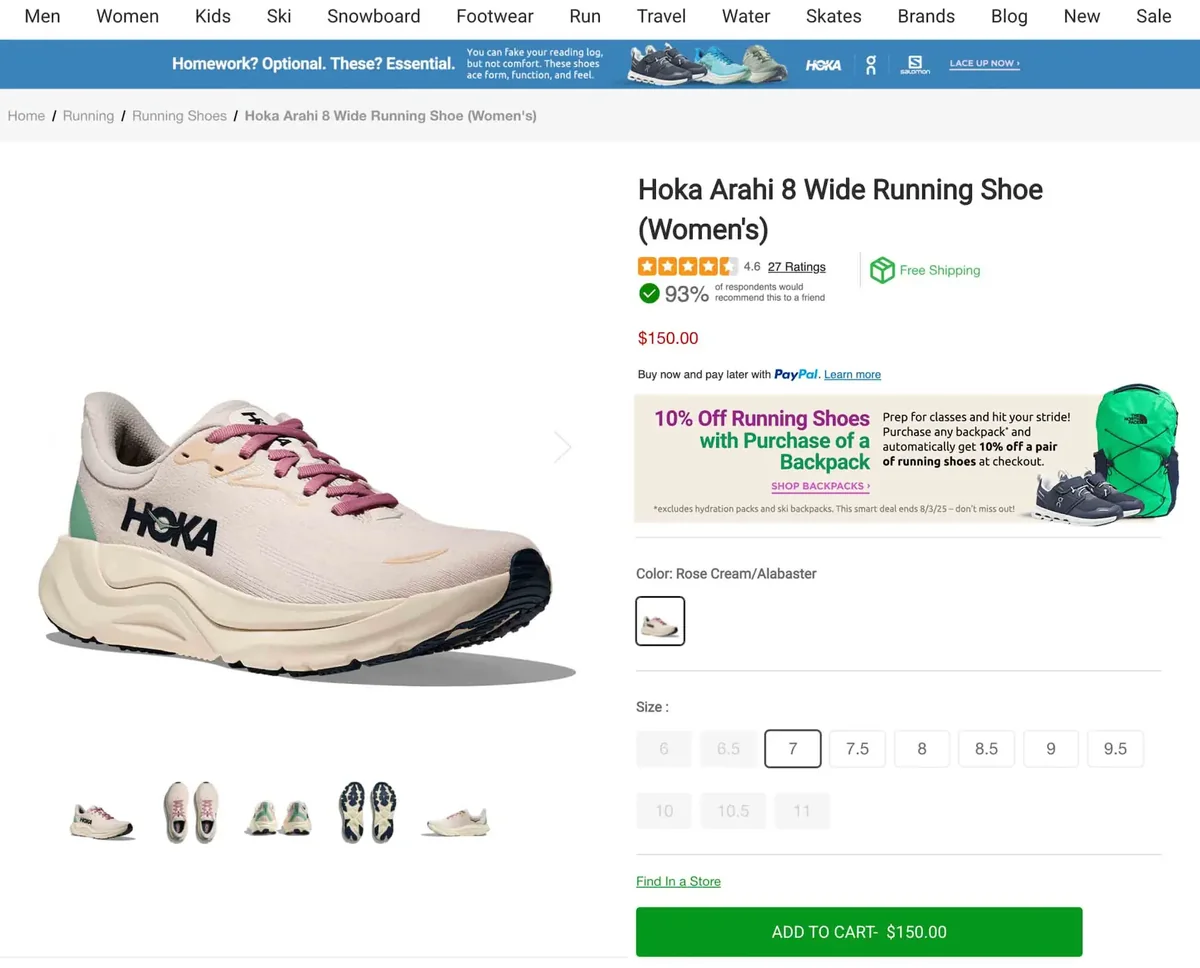
A banner shows up right on the product page, exactly where you placed it — here, a cross-sell promotion sits just below the price and buy-now-pay-later line, ahead of the color and size selectors, with its own headline, message, and call-to-action link.
Product Page Banners lets Shopify and BigCommerce merchants display custom promotional banners directly on product pages — flash sales, shipping notices, seasonal offers, or any message you want shoppers to see while they're deciding to buy. Schedule banners in advance, control exactly where they appear, and update them any time without editing theme code.
What Customers See
This banner is scheduled to run for a limited time and links straight to the promoted category — the kind of targeted, time-boxed cross-sell you can set up in minutes.
Built with a Simple Editor
Every banner is built in a simple editor — set the name, an optional start and end date, a placement, and the content itself (text, an image, a link, basic styling). Show it on every product, or limit it to selected categories and brands for a tightly targeted promotion.
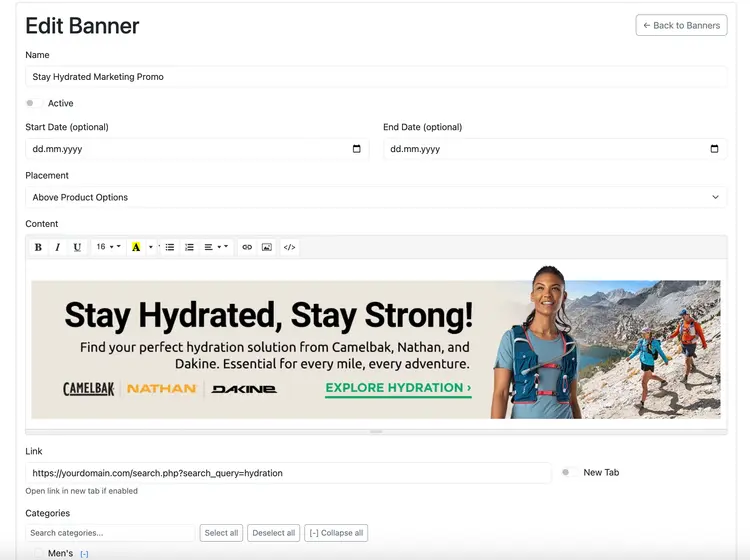
Choose from multiple display locations on the product page: above the title, below images, or above product options — and control the order when more than one banner shares a placement.
Manage Every Banner From One Dashboard
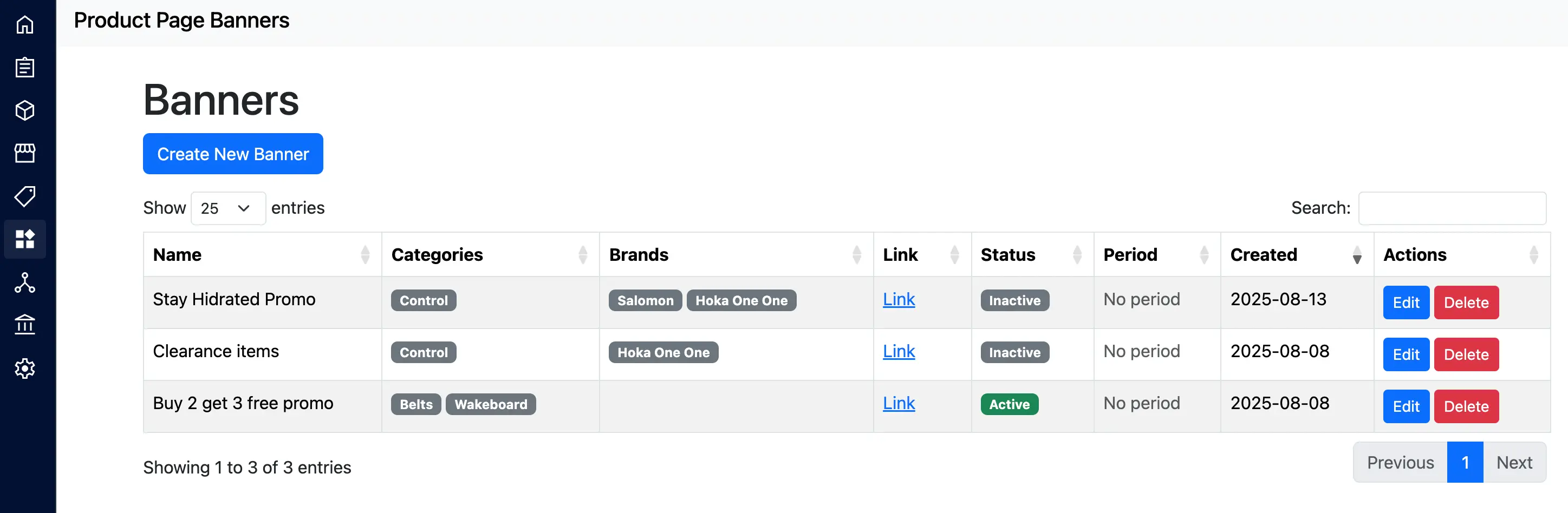
See every banner's status, active period, and targeting at a glance — turn one off, edit another, or check what's scheduled to go live next, all from a single list.
Highlights
Works with Shopify theme blocks and BigCommerce Stencil themes.
No theme code edits needed to add or update a banner.
Multiple placements on the product page, with control over display order.
Mobile-responsive by default.
Display banners in different areas of the product page using theme blocks.
Set start and end dates so banners appear and expire automatically.
Create banners with text, images, links, and basic styling — no code.
Frequently Asked Questions
Do I need to edit my theme code to add banners?
No. On Shopify, banners are added through theme blocks in the theme editor. On BigCommerce, they're added through Stencil-compatible widgets. Either way, no code editing is required.
Can I schedule banners to appear and disappear automatically?
Yes. Each banner can have a start and end date, so seasonal promotions or flash sales go live and come down automatically without you having to remember to remove them.
Can I limit a banner to specific products, categories, or brands?
Yes. You can show a banner on every product page, or restrict it to selected categories and brands for more targeted promotions.
Can I show more than one banner on the same product page?
Yes. Banners are assigned to positions (like above the title, below images, or above product options), and when several banners share a placement you control the order they display in.
Is this available for BigCommerce as well as Shopify?
Yes — as Product Page Banners on the Shopify App Store, and as Product Page Banners by Lantera on the BigCommerce App Marketplace.
How much does it cost?
$9.99/month (or $99.99/year), with a free trial included so you can build and preview banners before being charged.
Get Started
$9.99/month, free trial included. Available for Shopify and BigCommerce.
Results
Targeted Promotions
Display relevant messages on specific product pages, categories, or brands.
No-Code Management
Create and update banners without touching theme code.
Faster Campaign Launches
Schedule promotions in advance and let them go live and expire automatically.
Increased Conversions
Highlight offers and promotions right where customers are deciding to buy.
READY TO DISCUSS YOUR PROJECT?
eCommerce StoreApplicationSAASIntegrationOther
Up to 10K10 — 20K (USD)20 — 50K (USD)I'm not sure yet