
BigCommerce Custom Checkout Options That Convert
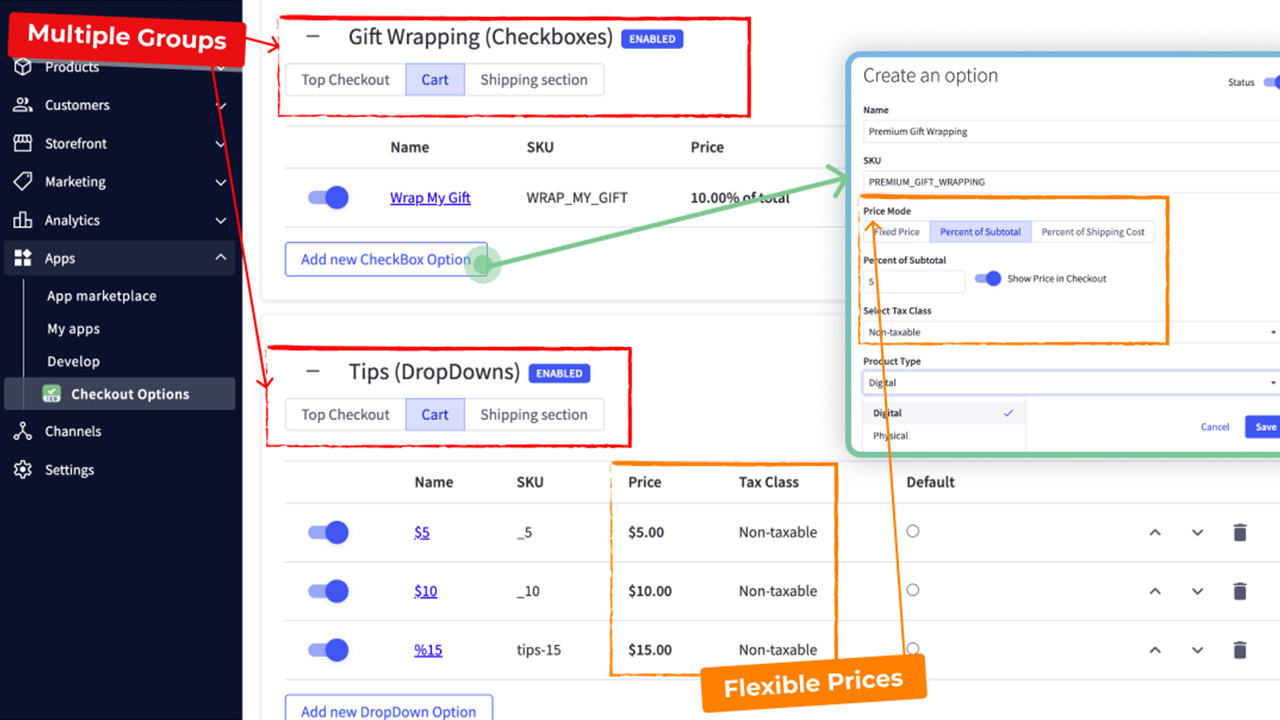
Cart abandonment usually gets blamed on shipping costs or weak offers. In practice, checkout friction is often the bigger problem. For brands evaluating https://enhanced-checkout-options.com BigCommerce Custom Checkout Options, the real question is not whether checkout can be changed. It is which changes will actually improve conversion, reduce operational drag, and hold up as the business scales.
BigCommerce gives merchants a strong base checkout, but the default experience is not always enough for businesses with specific operational rules, B2B requirements, subscription logic, localization needs, or custom fulfillment flows. That is where custom checkout work becomes valuable. Not because customization is inherently better, but because the right changes remove blockers between customer intent and completed order.
When BigCommerce custom checkout options make sense
Custom checkout is usually justified when revenue is being constrained by a known limitation. Common examples include multi-step product configuration, customer-specific pricing, special shipping logic, quote-based ordering, store credit workflows, or ERP-driven validation rules that need to appear before the order is placed.
For a simpler catalog with standard payment and shipping, heavy checkout customization can create more risk than value. Every added dependency, script, or rule increases maintenance. The better approach is to customize only where there is a measurable business case, such as reducing abandonment on mobile, supporting B2B account structures, or handling complex tax and fulfillment requirements more accurately.
The most valuable BigCommerce Custom Checkout Options
The highest-impact checkout changes usually fall into a few categories. Payment and shipping presentation is one of them. Reordering methods, hiding irrelevant options, or dynamically showing methods based on cart contents can reduce hesitation and cut down on customer service issues.
Form logic is another major area. If a customer should only see fields relevant to their order, account type, or destination, that matters. Long forms with unnecessary inputs create friction, especially on mobile. Custom field behavior, conditional address steps, and clearer validation can improve completion rates without changing the entire checkout structure.
Then there is operational logic. This matters more than many teams expect. A checkout that supports warehouse rules, preorder handling, bundle restrictions, store pickup conditions, or ERP synchronization requirements can prevent downstream order exceptions. That may not be as visible as a new frontend feature, but it directly affects margin and fulfillment efficiency.
What to watch before customizing checkout
Checkout is one of the highest-risk parts of an eCommerce stack. It touches conversion, payment security, tax, shipping, promotions, fraud controls, and customer trust. A change that looks minor in a design review can cause major issues if it conflicts with third-party apps, slows page performance, or breaks edge-case ordering paths.
That is why the best custom checkout projects start with constraints, not mockups. What can BigCommerce support natively? What should be handled through APIs or middleware? What logic belongs in checkout, and what should be solved earlier in the cart or later in back-office processing? Those decisions affect speed, maintainability, and long-term platform fit.
A good implementation also accounts for future change. Promotions evolve. Shipping rules get more complex. B2B workflows expand. If checkout logic is hardcoded too tightly, even small updates become expensive. Flexible architecture matters as much as the visible UX.
Custom checkout should support systems, not fight them
For established retailers, checkout is not an isolated screen. It is the point where storefront UX meets inventory systems, tax engines, payment providers, ERP processes, and fulfillment workflows. If those systems are fragmented, custom checkout can either expose the problem or help control it.
This is where technical strategy matters. A custom experience may need real-time inventory checks, customer group validation, contract pricing, location-based shipping rules, or post-purchase data routing. If those requirements are treated as simple frontend tweaks, the result is usually fragile. If they are designed as part of the wider commerce architecture, checkout becomes more reliable and easier to scale.
That is also why platform-neutral engineering teams tend to approach this work differently. The goal is not to force customization for its own sake. It is to decide whether a requirement belongs in BigCommerce configuration, custom frontend logic, middleware, or a deeper systems integration. In complex builds, that distinction protects both performance and operating cost.
How to evaluate ROI before building
The strongest case for checkout customization is usually tied to a measurable bottleneck. If mobile conversion drops sharply at payment selection, that is a signal. If B2B buyers are abandoning carts because they cannot submit POs correctly, that is another. If fulfillment teams are manually correcting orders due to checkout mismatches, the cost is already visible.
Before development starts, define the baseline metrics: checkout completion rate, payment method usage, support ticket volume, order exception rate, and average time spent resolving downstream issues. That gives the project a business frame instead of a feature frame.
For brands with operational complexity, the best BigCommerce custom checkout options are the ones that simplify decisions for the customer while enforcing accuracy for the business. That balance is where conversion gains become sustainable.
Lantera typically sees the best outcomes when checkout is treated as a performance system, not just a design layer. If the current checkout is slowing growth, the answer is rarely more features. It is the right logic, in the right place, implemented with discipline.